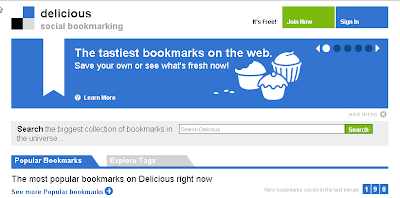
If you're a
Del.icio.us user who hasn't done much
tagging lately, you'll pleased to know that the venerable social bookmarking site has updated its look as well as its amusing URL. These days users can get to the site by surfing over to delicious.com where they'll find familiar and new features.
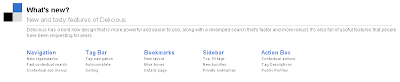
For those who've never used it,
Delicious allows registered users to quickly bookmark websites. "
So what? I can already do that!" you say. True enough. However, if you're bookmarking/saving to favorites on your computer, you're in for trouble. Sooner or later your computer will let you down. It's not a matter of
if. It's only a matter of
when. That's why
Delicious and other web-based (social) bookmarking tools are so useful...*
ahem* necessary these days.
Delicious and its counterparts (i.e., services like
Google Notebook) allow you to save, annotate, and organize web-based resources. Doing so allows you to access those resources anywhere there's an internet connection.
Think about that for a second.
If you save your favorite bookmarked sites to the web where they can be accessed, edited, and used, you're not at the mercy of one computer. That's liberating, very liberating. Having that kind of immediate access is also a time and life saver. Just ask anyone who's been called upon to share web-based resources only to discover the pc being used has crashed or otherwise been incapacitated. Being able to get to bookmarked sites (not to mention files--check out
eSnips,
Divshare,
Secondbrain) and rapidly share them with others is a prerequisite for administrators, educators, media specialist, students, parents, and uh...really,
all citizens.
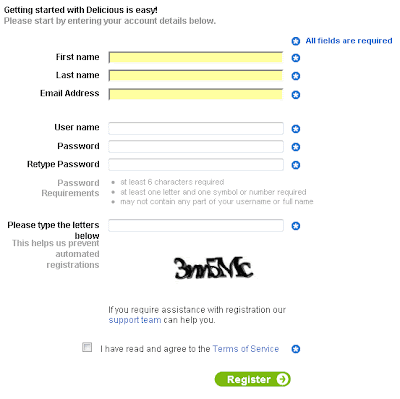
Why not register for a Delicious account? It's pretty simple.
Go to the site and click on the green,
Join Now button.

Enter the requested details. Make sure to check the "
I have read and agree to the Terms of Service" checkbox and click on the Register button when you've accomplished the task.
Afterward, you'll need to install add the Delicious buttons to your computer.
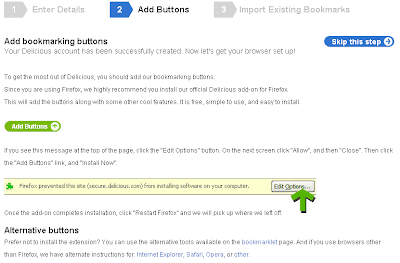
The buttons make Delicious easy to use so installing them is necessary. If you're a Firefox user, you need to click on the Add Buttons icon like so.

Don't be surprised if Firefox prevents you from immediately installing the buttons. You'll need to look at the top of the page and click the “Edit Options” (or Allow) button.

After allowing the buttons to load, you may seen a message like this:
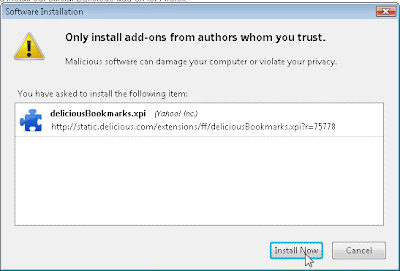
Just continue. Click the
Install Now button. You'll need to restart Firefox. When you do, you'll see this in your browser.
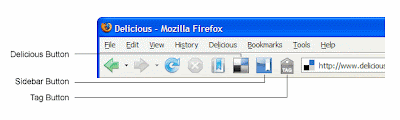
I won't go into all the specifics here because
Delicious has a fabulous introduction to its bookmark buttons for Firefox. Internet Explorer fans needn't fear. There are
buttons for IE users as well. Suffice it to say, these buttons will help you master your use and collection of websites. Once you've registered for a
Delicious account, installed the buttons, and explored
the bookmarking buttons, you'll never go back to saving websites the old-fashioned way.
Go on...take a bite and savor the flavor of efficiency and effectiveness. It's positively
Delicious!
 Although, it doesn't really belong with social bookmarking tools, per se, it's easy to see why teachers and students will soon become infatuated with Tidy Favorites. Despite living in the age of hyper-connected content and collaborative consumers, there's still a need for private bookmarking. As archaic as the practice seems, some people still have a desire to save bookmarks on one particular computer. Those folks should check out Tidy Favorites. Why? Simple: people using Tidy Favorites can peruse their favorite personal bookmarks using an intuitive visual search engine and dashboard. True, Ma.gnolia uses pix, but what Tidy Favorites does is a little different.


 Posts
Posts

