Showing posts with label photography. Show all posts
Showing posts with label photography. Show all posts
Thursday, January 8, 2009
Paradigm (Tilt) Shift
Ever heard of tilt-shift photography? By carefully manipulating a camera with special (often expensive) lenses, it's possible to produce a photograph of a life-sized location or subject that looks remarkably like a miniature-scale model. The results of the technique are engrossing and are useful for creating compelling images. Thanks to the TiltShiftMaker site, students can generate their own tilt-shift pictures without spending a dime!


Friday, November 28, 2008
The Peferct Storm
Check this out: Need just the right picture to convey a concept? Chances are that you'll turn to Flickr to see what you can find. If so, consider using FlickrStorm. It's a nifty, quick way to search for Flickr images.

Wednesday, November 19, 2008
Life is Good
Here's a useful resource that can be used to make learning in your classroom more engaging. Consider supplementing your instruction with a veritable cornucopia of striking images. Thanks to a joint project from Google and LIFE magazine, media specialists, teachers, students--heck, anyone--can easily search through millions of photographs from the LIFE magazine photography archive. This treasure trove of images spans from the 1700s up until today. Most of the images have never been published and are just now being viewed for the very first time.
 .
.
.
Tuesday, July 8, 2008
Want to Be Noticed? Be Funky
A big part of teaching students is merely capturing their interest. If the classroom is an engaging place, learning is more likely to occur. Good educators are always on the lookout for new means of getting and keeping attention. In addition to ensuring that content is relevant to pupils, teachers can and ought to occasionally inject a little novelty into the slide shows used in their activities and lessons.
One, simple way to do this is to use stylized images rather than photographs. Not only will this usually garner a few, concentrated stares, displaying artsy renderings of normally photographs images is an effective digital skill that students can learn and master. A great, free resource for transforming photographs into cartoonized art is BeFunky. It's easy to use.
First, drop by BeFunky. The site looks like this:
 Look at the Cartoonizer portion of the page.
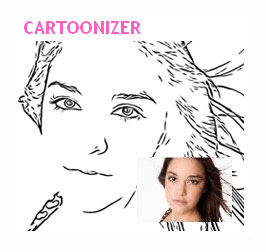 Click on the GET STARTED button.

Upload an image from your computer (click on the FROM YOUR DESKTOP icon).
 If you've successfully chosen an image, you'll see something like this in a moment or two.
 After that, your uploaded file will be waiting for you. For example, here's what I uploaded...
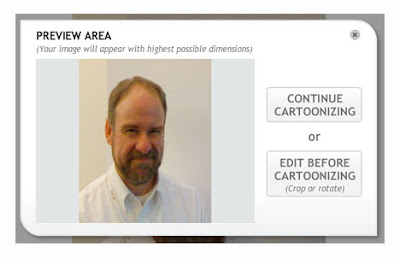 Click on the CONTINUE CARTOONIZING button.
 To generate a pencil-like drawing, click on the SKETCH tab.
 Choose your level of SKETCH DETAIL. Try MEDIUM to begin with. Don't worry about being "stuck" because you can always click RESTORE if you don't like the results.
 Click APPLY.
 Before you know it, you'll have a sketched/cartoonized image ready for use. Here's a "sketched" picture of me.

That's all there is to it! Why not experiment using this nifty tool. With a little practice, pupils will have no trouble using this site to spice up their own digital documents. This resource is especially promising in that pupils who want to use an iconic, copyrighted image have a means of generating the next best thing: a cartoonized version of a picture they might not otherwise be allowed to display. More importantly, BeFunky gives students a tool for creating. Learners who tinker with this resource are more likely to communicate ideas in a more compelling manner. What are you waiting for? Be funky!
One, simple way to do this is to use stylized images rather than photographs. Not only will this usually garner a few, concentrated stares, displaying artsy renderings of normally photographs images is an effective digital skill that students can learn and master. A great, free resource for transforming photographs into cartoonized art is BeFunky. It's easy to use.
First, drop by BeFunky. The site looks like this:
 Look at the Cartoonizer portion of the page.
 Click on the GET STARTED button.
Upload an image from your computer (click on the FROM YOUR DESKTOP icon).
 If you've successfully chosen an image, you'll see something like this in a moment or two.
 After that, your uploaded file will be waiting for you. For example, here's what I uploaded...
 Click on the CONTINUE CARTOONIZING button.
 To generate a pencil-like drawing, click on the SKETCH tab.
 Choose your level of SKETCH DETAIL. Try MEDIUM to begin with. Don't worry about being "stuck" because you can always click RESTORE if you don't like the results.
 Click APPLY.
 Before you know it, you'll have a sketched/cartoonized image ready for use. Here's a "sketched" picture of me.
That's all there is to it! Why not experiment using this nifty tool. With a little practice, pupils will have no trouble using this site to spice up their own digital documents. This resource is especially promising in that pupils who want to use an iconic, copyrighted image have a means of generating the next best thing: a cartoonized version of a picture they might not otherwise be allowed to display. More importantly, BeFunky gives students a tool for creating. Learners who tinker with this resource are more likely to communicate ideas in a more compelling manner. What are you waiting for? Be funky!
Monday, July 7, 2008
Free, Lively Images via Morguefile
When teachers ask me where they can get free image reference resources for various multimedia projects, I steer them to MorgueFile. It's a site that contains digital imagery that has been supplied by numerous photographers and artists around the world. What makes MorgueFile so appealing is that the images that reside there are high resolution and copyright free!

Subscribe to:
Posts (Atom)


 Posts
Posts

